 AuthVertex
One integration for your application. Every customer's identity setup handled.
AuthVertex sits between your enterprise customers' identity systems and your product. It handles federation, provisioning, lifecycle and audit, and gives your application standard OpenID Connect.
Read the transcript
Monday morning. Harbor and Pine Logistics has just bought Ledgerline, a software product built on AuthVertex. Dana looks after their systems, and three hundred people need access.
Dana has three questions. Can everyone sign in with the company account they already have? Who is allowed to change the setup? And when someone leaves, is their access really gone? Let's see how AuthVertex answers each one.
First, let's sign in. Dana is a named administrator, so the setup portal asks for a passkey. There's no password to steal.
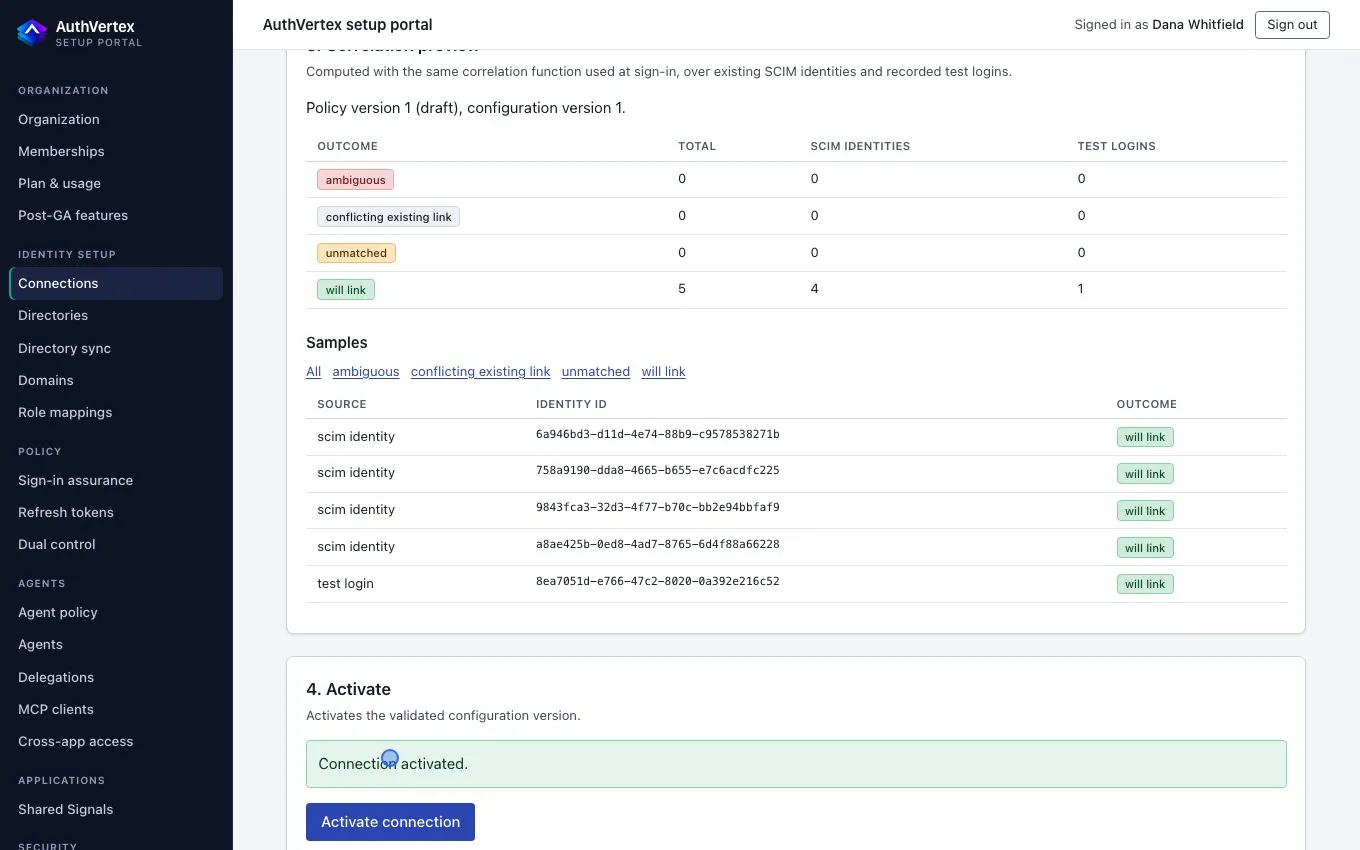
Next, let's connect the company's identity provider. The domain is verified, the directory is sending users, and groups are mapped to roles. Dana drafts the connection, tests it with a real sign-in, and activates it. Setup reaches four of four.
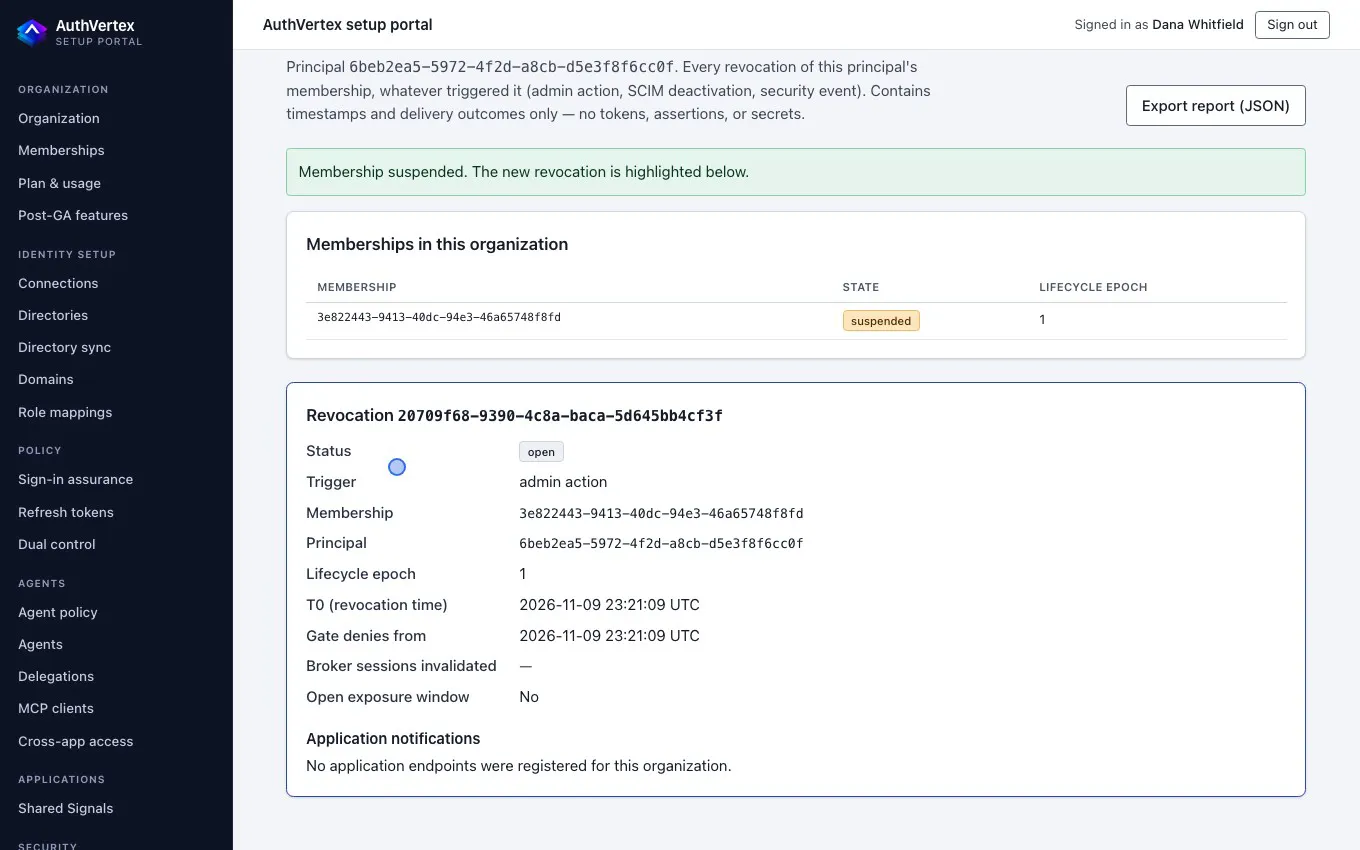
Now let's watch someone leave. Removing them from the company directory is enough, or Dana can suspend them right here. New sign-ins and tokens are refused, and the evidence report records exactly when.
Meanwhile, on Ledgerline's server, the AuthVertex SDK verifies a signed event and a back-channel logout. The same session is now refused.
And underneath it all: every sign-in passes a check of membership and policy before any token is issued. Every change lands in a tamper-evident audit log. And role mappings are previewed before they apply.
AuthVertex. Enterprise sign-in and SCIM for your product, without building either. Your application integrates once, and every customer sets up their own.
Single sign-on
Each of your customers connects their own identity provider to AuthVertex. Your application sees one OpenID Connect issuer per environment, so your code is the same for every customer.
- SAML 2.0 connections with signed assertions, plus signed requests and encrypted assertions as options.
- OpenID Connect connections, configured per customer.
- Passkey and email magic-link connections for organizations with no identity provider. A magic link is only as strong as the mailbox; an organization can require a phishing-resistant passkey after the first magic-link sign-in.
- A stable user ID that is never an email address. Email addresses never link accounts.
- The user's organization arrives in the token as your own tenant ID, so you need no table that maps AuthVertex organizations to your tenants.
- Replayed responses, bad signatures, wrong audiences and algorithm downgrades are refused.
- MFA and step-up requirements are enforced.
SCIM provisioning
AuthVertex is the SCIM 2.0 server. A customer's identity provider pushes users and groups to AuthVertex, and your application receives the result as signed webhooks. You build no SCIM endpoints.
- SCIM 2.0 users and groups (RFC 7643 and RFC 7644), included with every connection.
- Events for membership created, updated, suspended and deprovisioned, group changes and revoked sessions.
- Webhook signatures you verify with published public keys, so you hold no shared secret.
- Delivery at least once, with retries, and an event ID for deduplication.
- Events carry IDs, states and counts. They never carry emails, names or tokens.
- Group-to-role mapping with a preview of affected users.
- Directory sync for customers without SCIM (Premium and Enterprise).
Issuance gate
Before any token is issued, AuthVertex checks that the user's membership, their organization and policy still allow it. If the check cannot be completed, no token is issued.
- It applies to every grant that produces a token, including refresh and agent grants.
- A suspended or removed user is refused at their next token request.
- It is part of every plan and cannot be turned off by billing state.
Revocation
When someone leaves a customer organization, you need to know that their access actually ended. AuthVertex acts on the change, signals your application and keeps the record.
- New tokens are refused once a user is suspended or deprovisioned.
- Your application is told to end sessions through OIDC Back-Channel Logout, with retries.
- Your application acknowledges enforcement, so a delivered signal is not mistaken for a finished job.
- Organization auditors can view and export a per-user deprovisioning evidence report.
- If delivery fails, the report shows the open exposure instead of hiding it.
Self-service customer setup
Your application creates a time-limited link and sends it to the customer's IT admin. The admin does the rest in a hosted, guided portal, so your support team does not need to handle the customer's identity provider metadata or SCIM credentials.
- Set up the SSO connection, SCIM directory, verified domains, role mappings and account-matching rules.
- Run a real test login before going live.
- Preview how users will be matched before activation.
- See insecure or incomplete connection settings before activation.
- The portal can carry your application's branding.
Audit and security operations
The records and controls a security team expects, for you and for your customers' admins.
- A tamper-evident audit log of login decisions and administrative changes, with search and export.
- Audit streaming to a customer's SIEM (Premium and Enterprise).
- Rule-based anomaly alerts that cite the evidence behind them, delivered by webhook.
- Session and delegation inventory per user.
- Revoke one session, all of a user's sessions or all sessions in an organization.
AI agent identity
AI agents acting for your customers' users need identities that someone is accountable for. AuthVertex answers who the agent is and on whose behalf it acts. Your product keeps deciding what the agent may do.
- Every agent has an accountable owner. Organizations opt in to agents through policy.
- A person delegates to an agent with explicit scopes, audiences and an expiry.
- Each step in a delegation chain can only narrow what the agent may do.
- Agent access tokens last 5 minutes or less by default, target one audience and are bound to the agent with DPoP (RFC 9449).
- Sensitive actions can require a person to approve that specific action with a passkey (OpenID CIBA); the approval is a single-use token bound to the action.
- When a person loses access, the agent grants derived from them are refused too.
- Kill switches cover one agent, one owner's agents, an organization or an application. They refuse new grants at once; agent tokens already issued expire within their short lifetime.
Opt-in AI copilot
The security copilot answers read-only questions about security activity. It is rule-based by default and is included in every plan. Model-assisted questions are opt-in per organization.
- Model assistance is off by default. It is included in Premium and Enterprise, and available on Standard with the AI add-on.
- An organization owner or application security admin turns it on, after re-authenticating and acknowledging a data-processing disclosure.
- Before a question reaches the model, secrets, email addresses, IP addresses and long numbers are removed and identifiers are replaced by placeholders. Screening free text reduces personal details; it cannot promise to catch every one, so do not put personal data in questions.
- The model receives only the screened question and a fixed list of tools. It never sees customer records or tool results.
- If the model is unavailable or a credit cap is reached, you get the rule-based answer with a notice.
See it against your requirements
Tell us what your enterprise customers are asking for.